Author

Published
April 15, 2026
Reading time
9 min read
Content
1. Claim and Verify Your Google Business Profile
2. Complete Every Section of Your Profile
3. Choose the Right Business Categories
4. Build Consistent Citations Across the Web
5. Generate Google Reviews Consistently
6. Add Location-Specific Content to Your Website
7. How Medflow Digital Helps You Rank on Google Maps
Blog post categories
Need a Digital Partner?
Access a dedicated team of NEMT designers and developers. We handle your tech, branding, and growth so you can focus on your mission.
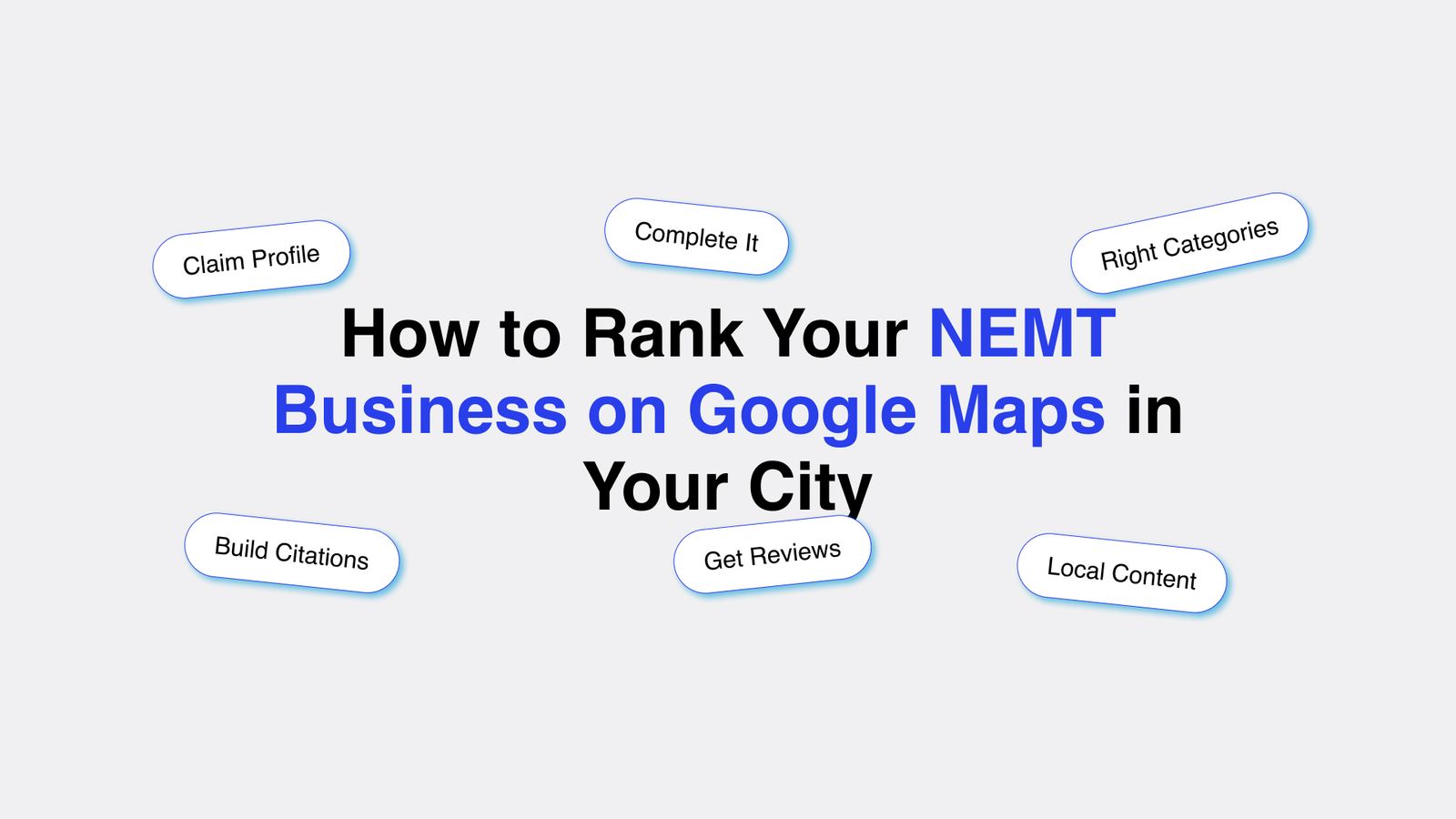
See How It WorksHow to Rank Your NEMT Business on Google Maps in Your City
When someone in your city searches "medical transportation near me" or "NEMT provider in [city]," Google shows a map with three local business listings before any website results. That map pack is where patients, families, and facility coordinators click first.
If your NEMT business is not in those three spots, you are invisible to the people most likely to call you right now.
Ranking in the Google Maps results is not luck. It comes down to a specific set of actions you take on your Google Business Profile and your website. This post covers exactly what those actions are and how to execute them.
This post covers:
- Claim and Verify
- Complete Your Profile
- Choose Right Categories
- Build Consistent Citations
- Generate Reviews
- Add Local Content
- How Medflow Helps
1. Claim and Verify Your Google Business Profile
You cannot rank on Google Maps without a verified Google Business Profile. If you have not claimed yours yet, go to business.google.com and search for your business name. If a listing exists, claim it. If it does not, create one.
Google will send a verification postcard to your business address with a code. Enter the code in your profile dashboard to verify. This process takes five to seven business days. Some businesses qualify for instant verification by phone or email.
Once verified, your listing becomes eligible to appear in Google Maps results. Unverified listings do not rank.

Get Your NEMT Business to the Top of Google Maps
Medflow Digital handles your Google Business Profile, local citations, review generation, and service area pages. Everything your map ranking needs, managed by a team that works only with NEMT providers.
One important note: check whether someone else has already claimed your listing. This happens more often than operators expect, sometimes from a previous employee or a third-party service that set up a profile years ago. If your listing is already claimed by someone else, use Google's ownership request process to recover it.
2. Complete Every Section of Your Profile
A partially completed Google Business Profile ranks lower than a fully completed one. Google rewards businesses that give it more information to work with. Incomplete profiles also convert worse because visitors cannot find the details they need.
Go through every section of your profile and fill it in completely.
Your business name should match exactly how it appears on your website and other directories. Do not add keywords to your business name. "Miami NEMT Services LLC" is fine if that is your legal name. "Miami Best Medical Transportation Provider" is not, and Google will penalize it.
Your address must be accurate and match what appears on your website and all other online directories. If your address is inconsistent across the web, it weakens your local ranking signals.
Your phone number should be a local number, not a toll-free number. Local numbers are a trust signal for local search.
Your business hours need to be accurate and kept up to date. If you operate 24 hours, say so. If your hours change on holidays, update them. Google flags businesses with inaccurate hours based on user reports, and those flags hurt your ranking.
Your business description should include your primary service, your city, and one or two key credentials. Write it in plain language. 750 characters maximum. Include "non-emergency medical transportation" and your city name naturally in the first two sentences.
Upload at least 10 photos. Include photos of your vehicles, your office if you have one, your drivers in uniform, and any wheelchair or stretcher equipment. Profiles with more photos get more views. Google's own data shows that businesses with photos receive 42 percent more requests for directions and 35 percent more website clicks than those without.
3. Choose the Right Business Categories
Your primary category is the single most important field in your Google Business Profile for ranking purposes. It tells Google what type of business you are, and Google uses it to match you to relevant searches.
For most NEMT operators, the correct primary category is "Medical Transportation." Some operators also use "Transportation Service" or "Wheelchair Accessible Van Rental Service" depending on their specific service mix.
Do not use a vague category like "Local Business" or "Health and Wellness." These categories are too broad to drive relevant local search traffic.
Add secondary categories for each additional service type you offer. If you provide both wheelchair transportation and ambulatory transportation, add both. If you also handle long-distance medical trips, add "Transportation Service" as a secondary category.
Getting your categories right is a one-time task that has a lasting impact on which searches your profile appears for. Most NEMT operators either skip secondary categories entirely or choose categories that do not match their services accurately.
4. Build Consistent Citations Across the Web
A citation is any mention of your business name, address, and phone number on another website. Google uses citations to verify that your business is real, located where you say it is, and operating in the market you claim to serve.
The more consistent your citations are across the web, the stronger your local ranking signals. Inconsistent citations, where your address appears differently on different sites, send conflicting signals and weaken your ranking.
Start with the major directories: Yelp, Bing Places, Apple Maps, Facebook, and the Better Business Bureau. Make sure your name, address, and phone number are identical across all of them. Use the exact same formatting every time.
Then move to healthcare-specific directories: Healthgrades, Vitals, and any state Medicaid provider directories that list transportation providers. These carry additional relevance signals for NEMT operators specifically.
Aim for 30 to 50 consistent citations across quality directories. This does not happen overnight, but each new consistent citation adds to your local authority and improves your Maps ranking over time.
5. Generate Google Reviews Consistently
Reviews are one of the three main factors Google uses to rank businesses in the map pack. The other two are relevance and distance. You cannot control distance, and relevance comes from your profile setup. Reviews are the factor you can actively build.
Google looks at three things when evaluating your reviews: total number of reviews, average star rating, and recency. A business with 50 reviews averaging 4.7 stars will outrank a business with 10 reviews averaging 5.0 stars in most cases. Recency also matters. A steady stream of new reviews signals to Google that your business is active.
Build a simple system for collecting reviews. After each completed trip, send a text message or email to the patient or their family member thanking them and including a direct link to your Google review page. The link takes them straight to the review form with no extra steps.
For facility referrals, ask the coordinator or discharge planner at the end of a positive interaction. One review from a coordinator carries significant credibility with other coordinators who may visit your profile.
Respond to every review, positive or negative. A response to a negative review shows potential clients that you take feedback seriously. Google also factors in review responses as a signal of business activity.
Target 25 reviews in your first 90 days. That number puts you ahead of most NEMT competitors in mid-size markets.
6. Add Location-Specific Content to Your Website
Your Google Business Profile does not rank in isolation. Google looks at your website as a supporting signal for your local presence. A website with strong local content reinforces your profile and improves your map ranking.
The most effective thing you can do on your website for local Maps ranking is build dedicated service area pages. Create one page per city or county you serve. Each page should be at least 400 words and include the city name in the page title, the H1, at least one H2, and naturally throughout the body copy.
These pages tell Google that you are not just claiming to serve a city, you have substantive content about that city and your services there. That signal supports your Google Business Profile's claim to serve that location.
Beyond service area pages, publish blog content that references your local market. A post about "what to look for in a NEMT provider in [city]" or "how Medicaid transportation works in [state]" builds topical relevance around your market and your service type.
Make sure your website footer includes your full business name, address, and phone number in text form, matching exactly what appears on your Google Business Profile. This NAP consistency between your website and your profile is a direct local ranking signal.
7. How Medflow Digital Helps You Rank on Google Maps
Ranking on Google Maps takes consistent action across your Google Business Profile, your website, and your citation network. Most NEMT operators do not have the time to manage all three correctly while also running daily operations.
Medflow Digital handles all of it. We work exclusively with NEMT providers, so every step we take is specific to your industry and your market.
On the Google Business Profile side, we handle full setup and ongoing management. We write your business description with the right keywords and credentials. We select your primary and secondary categories correctly. We upload your photos and keep your profile current. We monitor your listing for unauthorized edits, which Google allows the public to suggest and which go live if you are not watching.
On the review side, we set up a review generation process that fits your operation. We provide templates for post-trip follow-up messages and track your review count and rating over time.
On the website side, we build dedicated service area pages for every city you serve. Each page is written to support your Google Business Profile ranking in that city. We also ensure your NAP data is consistent across your site and that your site's technical structure sends clean local signals to Google.
On the citation side, we build and audit your citations across the major directories and healthcare-specific platforms, correcting any inconsistencies that are currently weakening your local authority.
The Business Starter plan starts at $499 per month and covers Google Business Profile management, local SEO, and ongoing content. The one-time website build is $799.
To see exactly what is included in each plan, visit the Medflow Digital pricing page.
To learn more about what we do specifically for NEMT operators, see our NEMT services page.
If you want to talk through your current Google Maps ranking and what it would take to improve it, book a demo and we will walk through your market together.
Related Blogposts
Continue reading more insights from our medical marketing experts.
NEMT SEO
Affordable SEO for NEMT businesses: what each budget level gets you, red flags to avoid, and how to find a service that produces broker contracts, not just reports.
NEMT SEO
The best SEO tools for NEMT businesses: free tools to start, paid tools worth the cost, platform-specific plugins, and exactly what Medflow uses for NEMT clients.
NEMT SEO
Local SEO for NEMT providers in 2026 covers more than keywords. See what actually works, from Google Business Profile to AI search visibility, with specific steps.
NEMT SEO
The NEMT website checklist every provider needs to rank on Google. 10 specific fixes for local SEO, GBP, speed, structured data, and more.
Marketing & Design Newsletter
Subscribe to our newsletter and get cutting-edge marketing strategies, design inspiration, and exclusive tips delivered straight to your inbox.